
Can I connect a snake camera to my smartphone?
Leave a message

Hey there! As a snake camera supplier, I get this question a lot: "Can I connect a snake camera to my smartphone?" Well, the short answer is yes, in most cases. But let's dive deeper into this topic and explore all the ins and outs.
Why Connect a Snake Camera to Your Smartphone?
First off, let's talk about why you'd even want to connect a snake camera to your smartphone. Smartphones have become an essential part of our lives, and they offer a convenient and portable way to view the footage captured by a snake camera. With a smartphone, you can easily share the images or videos with others, save them for future reference, or even edit them right on the spot.
Another big advantage is the large and high - resolution screen of modern smartphones. It provides a much better viewing experience compared to the small screens that come with some snake cameras. You can zoom in, pan around, and get a clear view of what's going on in those hard - to - reach places.
Compatibility
Now, the key to connecting a snake camera to your smartphone is compatibility. There are two main types of snake cameras when it comes to connectivity: Wi - Fi enabled snake cameras and those that use a wired connection.
Wi - Fi Enabled Snake Cameras
These are super easy to connect to your smartphone. All you have to do is turn on the Wi - Fi on your snake camera and then search for the camera's Wi - Fi network on your smartphone. Once you've connected to the network, you can open the dedicated app (usually provided by the snake camera manufacturer) on your phone. The app will then display the live feed from the camera.
Most modern smartphones, whether they're running on Android or iOS, can connect to Wi - Fi enabled snake cameras without any issues. However, it's always a good idea to check the camera's specifications to make sure it's compatible with your specific phone model.
Wired Connection Snake Cameras
Wired snake cameras usually come with a USB or Lightning connector. For Android phones, if your phone supports USB On - The - Go (OTG), you can use an OTG cable to connect the snake camera to your phone. Just plug one end of the OTG cable into your phone and the other end into the snake camera. Then, open the appropriate app on your phone, and you should be able to see the camera feed.
iOS devices are a bit more restrictive. You'll need a Lightning to USB adapter to connect a wired snake camera to an iPhone or iPad. And again, make sure the app you're using is compatible with your iOS device.
Popular Snake Camera Models and Their Connectivity
Let's take a look at some of the popular snake camera models and how they connect to smartphones.
Underwater Pipe Inspection Camera
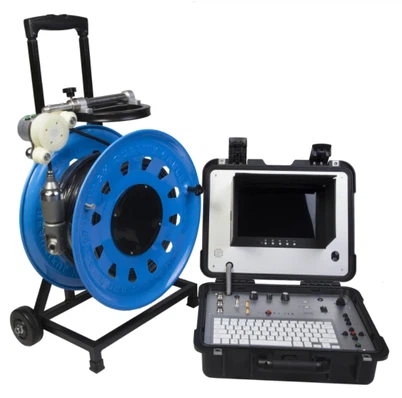
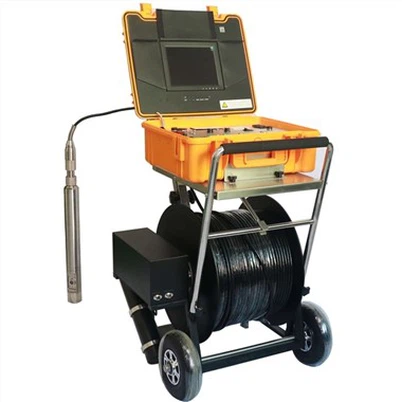
The Underwater Pipe Inspection Camera is a great option for those who need to inspect pipes underwater. This camera is often Wi - Fi enabled, which means you can easily connect it to your smartphone. Just follow the steps I mentioned earlier: turn on the camera's Wi - Fi, connect your phone to the network, and open the app. It's that simple!
360 degree rotating AHD pipe sewer inspection camera
The 360 degree rotating AHD pipe sewer inspection camera is another top - notch product. It offers a 360 - degree view, which is really useful for getting a complete picture of what's inside a pipe. This camera can be connected to your smartphone either via Wi - Fi or a wired connection, depending on the model. If it's a Wi - Fi model, the connection process is the same as described above. For the wired version, use the appropriate adapter (OTG for Android or Lightning to USB for iOS) and open the app.
Pipe Inspection Camera For Drain With Locator
The Pipe Inspection Camera For Drain With Locator is a specialized camera that comes with a locator, which helps you find the exact position of a blockage or damage in a drain. Connecting this camera to your smartphone is straightforward. If it's Wi - Fi enabled, connect to the Wi - Fi network and open the app. If it's a wired camera, use the correct adapter for your phone.
Tips for a Successful Connection
Here are some tips to ensure a smooth connection between your snake camera and smartphone:
- Update Your Phone's Software: Make sure your smartphone's operating system is up - to - date. Sometimes, software updates can fix compatibility issues and improve the overall performance of the camera app.
- Close Unnecessary Apps: Running too many apps in the background can slow down your phone and cause problems with the camera app. Close any apps that you're not using before connecting the snake camera.
- Check the Camera's Battery: A low battery on the snake camera can lead to a weak Wi - Fi signal or intermittent connectivity. Make sure the camera is fully charged before you start using it.
Use Cases
Snake cameras connected to smartphones have a wide range of use cases. Here are some common ones:
- Home Maintenance: You can use a snake camera to inspect your plumbing pipes for leaks, blockages, or damage. Just insert the camera into the pipe, and you can see what's going on inside without having to tear up your walls or floors.
- Automotive Repairs: Snake cameras are great for looking into hard - to - reach areas in a car, such as the engine compartment or the undercarriage. You can check for loose wires, leaks, or other problems.
- Electrical Inspections: Inspect electrical panels, wiring ducts, or behind walls to look for signs of damage or overheating.
Conclusion
So, to answer the question "Can I connect a snake camera to my smartphone?", the answer is a resounding yes! With the right snake camera and a compatible smartphone, you can enjoy the convenience of viewing the camera feed on your phone's large screen. Whether you choose a Wi - Fi enabled or a wired snake camera, the connection process is relatively simple.


If you're in the market for a snake camera, we've got a wide range of high - quality products to choose from. Our Underwater Pipe Inspection Camera, 360 degree rotating AHD pipe sewer inspection camera, and Pipe Inspection Camera For Drain With Locator are all great options.
If you're interested in purchasing a snake camera or have any questions about our products, feel free to reach out to us. We're here to help you find the perfect snake camera for your needs and ensure a seamless connection with your smartphone.
References
- General knowledge about snake cameras and smartphone connectivity from years of experience as a snake camera supplier.
- Product specifications and user manuals of the snake camera models mentioned in the blog.