
What file formats does wells camera save photos in?
Leave a message

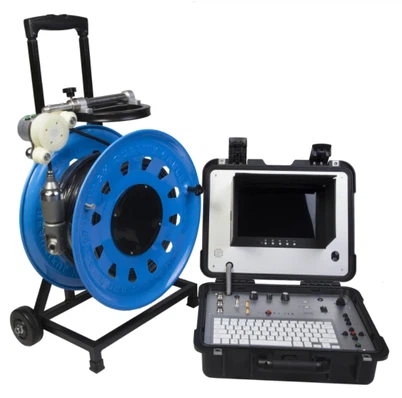
As a supplier of Wells cameras, I often receive inquiries from customers about the file formats in which our cameras save photos. In this blog post, I will delve into the various file formats supported by Wells cameras, explaining their characteristics, advantages, and use - cases.
Common File Formats for Wells Cameras
JPEG (Joint Photographic Experts Group)
JPEG is one of the most widely used file formats in the world of digital photography, and our Wells cameras also support it. It is a lossy compression format, which means that some image data is sacrificed to reduce the file size. However, the compression is designed in such a way that the loss is often imperceptible to the human eye.
The advantage of JPEG is its wide compatibility. It can be easily opened and edited on almost any device, including computers, smartphones, and tablets. This makes it an ideal choice for sharing photos on social media, sending via email, or using in general - purpose applications. For example, if a customer is using our Borehole Water Well Camera to inspect a water well and wants to share the inspection results with colleagues or clients, JPEG is a great option.
Another benefit of JPEG is its relatively small file size. This is especially important when dealing with a large number of photos. For instance, if a professional inspector is conducting multiple well inspections in a day and capturing hundreds of photos, the smaller file size of JPEG allows for more efficient storage and transfer.
PNG (Portable Network Graphics)
PNG is a lossless compression format, which means that the image quality is preserved without any loss of data. This makes it suitable for applications where high - quality images are required, such as graphic design, scientific research, and archival purposes.

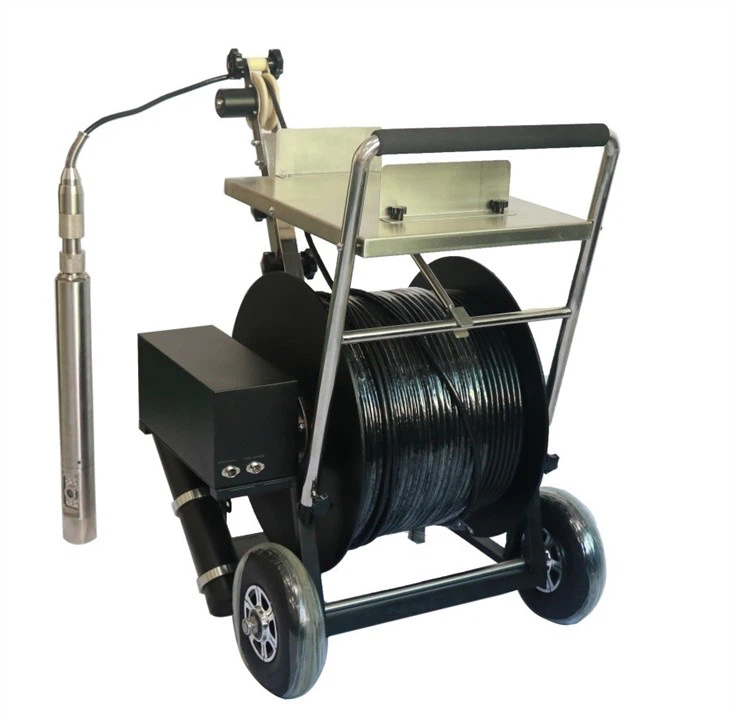
Our Wells cameras also support PNG format. The transparency feature of PNG is one of its key advantages. In some cases, when inspecting a well, there may be a need to overlay images or add annotations. The transparency in PNG allows for seamless integration of different elements. For example, if an inspector wants to add a label or a diagram on top of a well inspection photo, the transparency of PNG ensures that the background image is not affected.
However, the main drawback of PNG is its larger file size compared to JPEG. Since it is a lossless format, it stores more data, which can take up more storage space. But for situations where image quality and integrity are of utmost importance, such as when detailed well structure analysis is needed, PNG is the preferred choice.
RAW
RAW is an unprocessed and uncompressed file format that contains all the data captured by the camera's sensor. It provides the photographer or inspector with the maximum amount of control over the image editing process. With RAW files, one can adjust parameters such as white balance, exposure, contrast, and color saturation without losing any image quality.
Wells cameras that support RAW format are a great tool for professional inspectors. For example, when using a Borewell Inspection Camera to examine the internal structure of a borewell, the RAW files can be used to extract detailed information about the well's condition. Professional photographers or inspectors can fine - tune the images to highlight specific features, such as cracks, corrosion, or sediment deposits.
The downside of RAW files is their large file size and the need for specialized software to open and edit them. However, for those who require the highest level of image quality and flexibility in post - processing, RAW is an excellent option.
Factors Influencing the Choice of File Format
Storage Capacity
The available storage capacity is a crucial factor when choosing a file format. If the camera has limited internal storage or the user is using a memory card with a small capacity, JPEG may be the better choice due to its smaller file size. On the other hand, if there is sufficient storage space and high - quality images are required, PNG or RAW can be selected.
Intended Use
The intended use of the photos also plays a significant role. If the photos are for quick sharing or general viewing, JPEG is sufficient. For professional analysis, such as in a research project or a detailed well inspection report, RAW or PNG may be more appropriate.
Compatibility
Compatibility with other devices and software is another important consideration. JPEG is the most compatible format, while RAW may require specific software for viewing and editing. When sharing photos with others, it is important to choose a format that can be easily opened and understood by the recipients.
Case Studies
Let's consider a real - world scenario. A water well maintenance company is using our Borehole Deep Water Inspection Camera to inspect a series of boreholes. They need to document the condition of the wells for their clients and also for internal records.
For quick communication with clients, they choose to save the photos in JPEG format. This allows them to easily share the images via email or on their website. However, for their internal analysis and long - term records, they save the photos in RAW format. This gives them the flexibility to adjust the images later and extract detailed information about the well's condition.
Technical Details of File Format Support in Wells Cameras
Our Wells cameras are designed to support multiple file formats to meet the diverse needs of our customers. The camera's firmware is constantly updated to ensure optimal performance and compatibility with different file formats.
The camera's menu allows users to easily select the desired file format before taking a photo. This user - friendly interface makes it convenient for both novice and professional users to choose the most suitable format for their specific requirements.
Conclusion
In conclusion, our Wells cameras support a variety of file formats, each with its own unique characteristics and advantages. Whether you need a small - sized file for easy sharing (JPEG), a high - quality and transparent image (PNG), or maximum control over post - processing (RAW), our cameras have you covered.
If you are interested in our Wells cameras or have any questions about the file formats or other features, we invite you to contact us for a procurement discussion. We are committed to providing the best products and services to meet your needs.
References
- Digital Photography: Principles and Practices, by Michael Freeman
- Image Processing Handbook, by John C. Russ