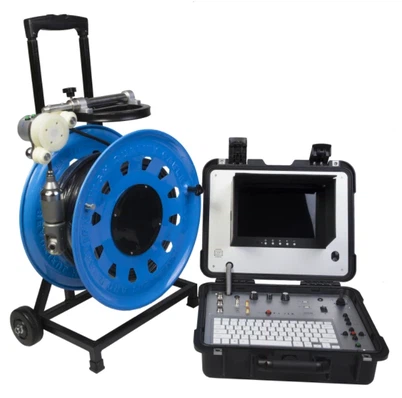

How to transfer photos from wells camera to a phone?
Leave a message

Hey there! As a supplier of Wells cameras, I get a ton of questions about how to transfer photos from these cameras to a phone. It's a common issue, and I'm here to walk you through the process step by step.
First off, let's talk about why you might want to transfer photos from your Wells camera to your phone. Well, phones are super convenient. You can easily share photos on social media, edit them with various apps, and keep them all in one place. And with a Wells camera, you've got some high - quality shots that you'll definitely want to show off.


Step 1: Check the Camera's Connectivity Options
Most Wells cameras come with different ways to connect to other devices. The first thing you need to do is find out what connectivity options your camera has. Some cameras have Wi - Fi capabilities, while others rely on USB connections.
If your Wells camera has Wi - Fi, it's going to be a breeze. You can connect your camera and phone to the same Wi - Fi network. Then, look for the camera's app in your phone's app store. Download and install it. Once the app is installed, open it and follow the on - screen instructions to pair your camera with your phone. Usually, you'll need to enter a password or scan a QR code.
For example, our Borewell Inspection Camera often has Wi - Fi connectivity. It makes it really easy to transfer photos to your phone on the go.
If your camera doesn't have Wi - Fi, don't worry. You can use a USB cable. Connect one end of the USB cable to your camera and the other end to your phone. Make sure your phone supports USB OTG (On - The - Go). Most modern smartphones do, but if yours doesn't, you might need to get an OTG adapter.
Step 2: Transferring Photos via Wi - Fi
Once your camera and phone are paired via Wi - Fi, open the camera app on your phone. In the app, there should be an option to view the photos on your camera. Select the photos you want to transfer and click the transfer or download button. The app will start copying the photos from the camera to your phone. This process might take a little time, depending on the number and size of the photos.
Some Wells cameras also allow you to set up automatic transfers. You can configure the app to transfer new photos to your phone as soon as they're taken. This is really handy if you're constantly taking pictures and want to keep your phone updated.
Step 3: Transferring Photos via USB
If you're using a USB cable, things are a bit different. When you connect your camera to your phone via USB, your phone should detect the camera as an external storage device. On some phones, you might need to select the "File Transfer" or "MTP (Media Transfer Protocol)" mode.
Once your phone recognizes the camera, open your phone's file manager. Navigate to the folder where the camera's photos are stored. Usually, it's something like "DCIM" or "Camera". Select the photos you want to transfer and copy or move them to a folder on your phone, like your "Pictures" folder.
Step 4: Troubleshooting
Sometimes, things don't go as smoothly as we'd like. If you're having trouble connecting your camera to your phone via Wi - Fi, make sure both devices are on the same Wi - Fi network. Check the camera's settings to ensure Wi - Fi is enabled and that the password is correct.
If you're using a USB connection and your phone isn't recognizing the camera, try using a different USB cable. Sometimes, cables can be faulty. Also, make sure your phone's USB OTG function is enabled in the settings.
Our Product Range
We offer a wide range of Wells cameras, each with its own unique features. For instance, our Factory Borehole Water Well Camera is great for industrial applications. It's built to withstand tough conditions and takes high - quality photos even in low - light environments.
Our Underwater dual view borescope inspection camera is another popular choice. It's perfect for underwater inspections and can capture detailed images that are easy to transfer to your phone for further analysis.
Why Choose Our Wells Cameras
Our cameras are designed with the user in mind. They're easy to use, and the process of transferring photos to your phone is straightforward. We also offer excellent customer support. If you have any questions about using our cameras or transferring photos, our team is always ready to help.
Contact Us for Purchasing
If you're interested in purchasing a Wells camera, we'd love to hear from you. Whether you're a professional in the industry or just someone who loves taking great photos, our cameras are a great choice. Contact us to discuss your requirements and get a quote. We can help you find the perfect camera for your needs.
References
- General knowledge about camera connectivity and photo transfer methods.
- Product manuals of Wells cameras.