
How to clean an action cam?
Leave a message

As a trusted supplier of action cams, I understand the importance of keeping your device in top - notch condition. An action cam is often used in extreme environments, from the depths of the ocean to the peaks of mountains, and thus it's exposed to various elements that can dirty it over time. In this blog, I'll share some comprehensive steps on how to clean an action cam, ensuring its longevity and optimal performance.
Pre - cleaning Preparations
Before you start the cleaning process, gather the necessary tools. You'll need a soft - bristle brush, a microfiber cloth, compressed air canisters, a cleaning solution specifically designed for electronics, and cotton swabs. It's crucial to power off the action cam and remove the battery. This not only prevents any electrical hazards but also ensures that no moisture seeps into sensitive electronic components during cleaning.
Exterior Cleaning
The exterior of the action cam is the first line of defense against dirt and debris. Begin by using the soft - bristle brush to gently remove any loose dust, sand, or dirt particles. Pay close attention to the corners, crevices, and around the buttons. This initial step helps to prevent scratching the camera's surface when you move on to the next stage.
Next, dampen the microfiber cloth with the electronics cleaning solution. Make sure the cloth is only slightly moist; excessive moisture can damage the camera. Wipe the entire exterior of the action cam, including the lens housing, body, and any exposed ports. Be gentle while cleaning around the buttons to avoid getting liquid inside. If there are stubborn stains, you can use a cotton swab dipped in the cleaning solution to target those areas precisely.
Lens Cleaning
The lens is one of the most critical parts of an action cam, as it directly affects the quality of your footage. Use a can of compressed air to blow away any loose dust or debris on the lens surface. Hold the can upright and keep a safe distance from the lens to prevent any liquid from spraying out.
After removing the loose particles, take a lens - cleaning cloth or a fresh section of the microfiber cloth. Gently wipe the lens in a circular motion, starting from the center and moving outwards. Avoid applying too much pressure, as this can scratch the lens coating. If there are smudges or fingerprints, you can use a small amount of the electronics cleaning solution on the cloth. However, make sure to follow the manufacturer's instructions regarding the use of cleaning agents on the lens.
Port and Connector Cleaning
Action cams have various ports and connectors, such as the USB port, HDMI port, and battery compartment. These areas can accumulate dust, lint, and corrosion over time, which can affect the camera's connectivity and charging capabilities.

Use the soft - bristle brush to clean the ports gently. You can also use a can of compressed air to blow out any debris that might be stuck inside. For more thorough cleaning, you can use a cotton swab dipped in the cleaning solution to clean the inner walls of the ports. But be extremely careful not to break the cotton swab tip inside the port.
Internal Cleaning (If Necessary)
In some cases, especially if your action cam has been exposed to a lot of moisture or has internal dust buildup, you might need to perform internal cleaning. However, this should be done with extreme caution, as opening the camera can void the warranty.
If you're confident in your skills, refer to the camera's user manual for instructions on how to open it safely. Once opened, use the compressed air to blow out any dust or debris from the internal components. Avoid using any liquid inside the camera unless specifically recommended by the manufacturer.
Drying and Reassembly
After cleaning, it's essential to let the action cam dry completely. Place it in a dry, well - ventilated area for at least a few hours. Make sure there is no residual moisture before reassembling the camera.
Once the camera is dry, carefully insert the battery and close any compartments. Power on the camera to check if it's functioning properly. If you notice any issues, such as error messages or abnormal behavior, it might be a sign that there was damage during the cleaning process, and you should consult a professional.
Maintaining a Clean Action Cam
Regular maintenance is key to keeping your action cam clean and in good working condition. After each use, give the camera a quick wipe - down with a dry microfiber cloth to remove any surface dirt. Store the camera in a clean, dry case when not in use to protect it from dust and scratches.
If you're using the action cam in wet or dirty environments, consider using protective accessories such as waterproof cases or lens covers. These can help prevent dirt and moisture from reaching the camera directly.
Our Range of Action Cams and Related Products
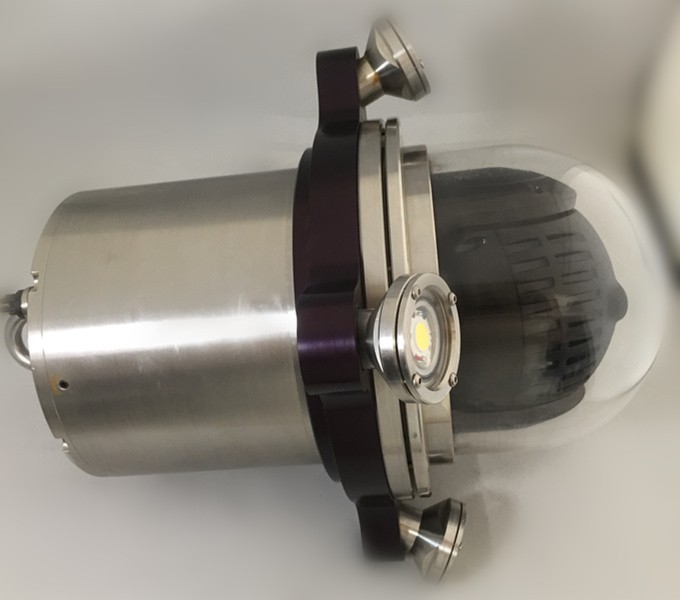
At our company, we offer a wide range of high - quality action cams suitable for various applications. In addition to our action cams, we also have other related products that can enhance your underwater filming experience. Check out our Micro Pan Tilt Underwater HD Video Analog CCTV Inspection Camera, Underwater Dome Camera IP Camera, and Underwater IP Network Camera. These products are designed to provide clear and high - resolution footage even in challenging underwater conditions.
Contact Us for Purchasing
If you're interested in purchasing our action cams or any of our other products, we're here to help. Whether you're a professional filmmaker, an adventure enthusiast, or someone looking to capture special moments, our team can assist you in finding the right product for your needs. Reach out to us for more information and to start the procurement process.
References
- Manufacturer's user manuals for action cams
- Electronics cleaning guides from industry experts