
How to adjust the white balance on wells camera?
Leave a message

Adjusting the white balance on a camera is a crucial step in achieving accurate and natural - looking colors in your images and videos. As a supplier of Wells cameras, I understand the importance of getting this setting right. In this blog post, I'll guide you through the process of adjusting the white balance on Wells cameras, helping you capture the best - quality visuals possible.


Understanding White Balance
Before delving into the adjustment process, it's essential to understand what white balance is. White balance is a camera setting that corrects the color temperature of the light in a scene to ensure that white objects appear truly white in the final image or video. Different light sources emit light with varying color temperatures, measured in Kelvin (K). For example, sunlight at noon has a color temperature of around 5500K, while incandescent light bulbs typically emit light at around 2700K - 3000K.
If the white balance is not set correctly, your images may have a color cast. For instance, in a low - light environment with incandescent lighting, an incorrect white balance setting can make your photos look overly yellow or orange. On the other hand, in a cloudy outdoor setting, the images might appear too blue.
Why White Balance Matters in Wells Cameras
Wells cameras are often used in a variety of environments, from indoor settings to outdoor landscapes, and even in specialized applications such as borehole inspections. In borehole inspections, for example, the lighting conditions can be extremely variable. The light sources may include natural light seeping into the borehole, artificial lighting from inspection equipment, or a combination of both.
Accurate white balance is crucial in these scenarios. In borehole inspections, it helps in clearly identifying the details of the well walls, detecting any cracks, or identifying the presence of minerals. For other general photography or videography uses, proper white balance enhances the overall aesthetic appeal of the visuals, making them more engaging and true - to - life.
Adjusting White Balance on Wells Cameras
Preset White Balance Modes
Most Wells cameras come with several preset white balance modes that are designed to handle common lighting conditions. Here's how you can use them:
-
Auto White Balance (AWB): This is the default setting on many cameras. The camera analyzes the scene and tries to automatically adjust the white balance to produce the most accurate colors. In many cases, AWB works well, especially in evenly lit scenes. However, in complex lighting situations, such as a mix of natural and artificial light, it may not always get the colors exactly right. To use the AWB mode, simply turn the white balance dial or select the AWB option from the camera's menu.
-
Daylight: This mode is suitable for outdoor photography on sunny days. It is calibrated to the color temperature of sunlight, which is around 5500K. When shooting outdoors during the day, selecting the daylight white balance mode will ensure that the colors in your images appear natural.
-
Cloudy: Cloudy days have a higher color temperature than sunny days, usually around 6000K - 7000K. The cloudy white balance mode compensates for this by adding a bit more warmth to the image, reducing the blue cast that can occur in overcast conditions.
-
Shade: Similar to the cloudy mode, the shade mode also deals with a higher color temperature. When shooting in the shade, the light is often bluer because it is filtered through the sky. Selecting the shade white balance mode will help correct this and make the colors more natural.
-
Tungsten (Incandescent): Incandescent light bulbs emit warm - colored light with a lower color temperature (around 2700K - 3000K). The tungsten white balance mode counteracts this by adding more blue to the image, making white objects appear white instead of yellow or orange.
-
Fluorescent: Fluorescent lights come in different color temperatures, depending on the type of bulb. The fluorescent white balance mode on Wells cameras has multiple sub - settings to handle different types of fluorescent lighting. You may need to experiment with these sub - settings to find the one that works best for your specific fluorescent light source.
To select a preset white balance mode on your Wells camera, navigate to the white balance setting in the camera's menu. Use the camera's control buttons or touchscreen to scroll through the available modes and select the one that matches the lighting conditions of your scene.
Custom White Balance
In some situations, the preset white balance modes may not be sufficient to achieve accurate colors. This is when custom white balance comes in handy. Here's how you can set a custom white balance on your Wells camera:
-
Prepare a White Card or Gray Card: You'll need a white or gray card, which has a neutral color. A white piece of paper can also work in a pinch, although a proper white or gray card is more accurate.
-
Take a Reference Shot: Place the white or gray card in the same lighting conditions as your subject. Fill the camera's frame with the card and take a photo. Make sure the card is evenly lit and there are no shadows on it.
-
Set the Custom White Balance: Navigate to the custom white balance setting in your camera's menu. Select the option to set the custom white balance using the reference photo you just took. The camera will analyze the colors in the photo of the white or gray card and adjust the white balance accordingly.
Custom white balance is particularly useful in situations where the lighting is unique or constantly changing, such as in a borehole with multiple light sources.
Advanced White Balance Adjustments
Some advanced Wells cameras also offer manual white balance adjustment options. This allows you to have more precise control over the white balance setting.
-
Kelvin Setting: In the camera's menu, you can often find a Kelvin setting. You can manually enter the color temperature in Kelvin based on the lighting conditions. For example, if you know that the light source you're using has a color temperature of 4000K, you can enter this value into the Kelvin setting. This gives you the most accurate control over the white balance, but it requires some knowledge of color temperatures.
-
Fine - Tuning: Some cameras also allow you to fine - tune the white balance after selecting a preset or custom mode. You can adjust the color tint (such as adding a bit more magenta or green) to further refine the colors in your images.
Tips for Achieving the Best White Balance
- Test Different Settings: Don't be afraid to experiment with different white balance settings, especially in challenging lighting conditions. Take test shots with different modes and compare the results to see which one works best.
- Check the Histogram: Many Wells cameras have a histogram display. The histogram shows the distribution of brightness levels in your image. A well - balanced histogram can also indicate that the white balance is set correctly. If the histogram is skewed to one side, it may suggest an issue with the exposure or white balance.
- Update Your Camera Firmware: Camera manufacturers often release firmware updates that can improve the white balance algorithms. Make sure your Wells camera has the latest firmware installed to take advantage of these improvements.
Special Considerations for Borehole Inspections
As a supplier of Wells cameras, I know that borehole inspections are a common application for our products. When using Wells cameras for borehole inspections, here are some additional considerations for white balance:
-
Use Appropriate Lighting: Ensure that the borehole is well - lit. You can use specialized borehole lighting equipment. Try to use consistent lighting throughout the inspection to make it easier to set the white balance.
-
Consider the Depth: The deeper you go into the borehole, the more the lighting conditions can change. You may need to adjust the white balance as you move deeper into the well.
-
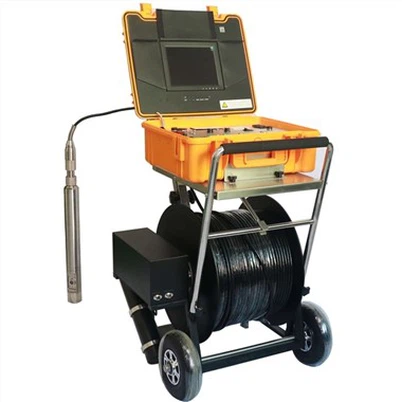
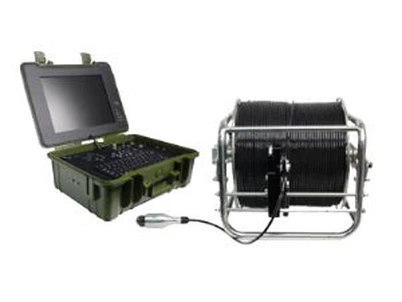
Refer to Specialized Equipment: For more accurate borehole inspections, you can consider using specialized borehole cameras such as the Underwater dual view borescope inspection camera or the Borehole Water Well Camera. These cameras are designed to handle the unique lighting and environmental conditions in boreholes.
Conclusion
Adjusting the white balance on Wells cameras is a skill that can significantly enhance the quality of your images and videos. Whether you're using the camera for general photography, videography, or specialized applications like borehole inspections, understanding how to set the white balance correctly is essential.
By using the preset white balance modes, custom white balance, and advanced adjustment options, you can achieve accurate and natural - looking colors in a wide range of lighting conditions. Remember to experiment, test different settings, and keep in mind the special considerations for your specific use cases.
If you're interested in purchasing a Wells camera for your photography, videography, or borehole inspection needs, or if you have any questions about white balance adjustment or our camera products, Factory Borehole Water Well Camera is available for you to explore. We're here to assist you in making the right choice and getting the most out of your camera.
References
- Photography textbooks on camera settings and lighting techniques.
- Wells camera user manuals for specific model - related information on white balance adjustment.