
How do I upgrade the firmware of a sewer camera?
Leave a message

Hey there! As a supplier of sewer cameras, I often get asked about how to upgrade the firmware of these nifty devices. Firmware upgrades are super important as they can improve the camera's performance, add new features, and fix any bugs that might be causing issues. So, in this blog post, I'm gonna walk you through the whole process step by step.
First things first, let's talk about why you'd even want to upgrade the firmware of your sewer camera. Think of firmware as the software that runs your camera. Just like your phone or computer needs updates to work better, your sewer camera does too. An upgraded firmware can give you a sharper image quality, better lighting control, and more reliable connectivity. It can also enhance the camera's compatibility with different operating systems and devices, making it easier for you to view and analyze the footage you capture.
Now, before you start the upgrade process, there are a few things you need to do. First, make sure you have a stable internet connection. This is crucial because you'll be downloading the new firmware from the manufacturer's website. A weak or unstable connection can cause the download to fail or get corrupted, which can lead to all sorts of problems. Next, check the manufacturer's website for the latest firmware version available for your specific sewer camera model. You don't want to install an outdated or incompatible firmware, as that could cause more harm than good.
Once you've found the right firmware version, download it to your computer. Most manufacturers provide detailed instructions on how to do this, so just follow them carefully. Usually, you'll need to create an account on the manufacturer's website and log in to access the download link. After the download is complete, save the firmware file in a location where you can easily find it later.
Before you start the actual upgrade, it's a good idea to back up any important data on your sewer camera. This includes any footage you've captured that you don't want to lose. You can do this by transferring the data to your computer or an external storage device. It's always better to be safe than sorry!
Now, let's get to the upgrade process itself. The exact steps may vary depending on the make and model of your sewer camera, but the general process is usually pretty similar. First, turn off your sewer camera and connect it to your computer using the provided USB cable. Make sure the connection is secure and that your computer recognizes the camera.

Once your camera is connected, open the firmware upgrade tool on your computer. This tool is usually provided by the manufacturer and can be downloaded along with the firmware. Follow the on-screen instructions to install the new firmware on your camera. The upgrade process may take a few minutes, so be patient and don't interrupt it.
During the upgrade, you may see some progress indicators on your computer screen. This is normal and just means that the firmware is being installed correctly. Once the upgrade is complete, your computer will usually prompt you to disconnect the camera and turn it on. Do this and wait for the camera to boot up.
After the camera has booted up, check to make sure that the new firmware is installed correctly. You can do this by going to the camera's settings menu and looking for the firmware version number. It should match the version you just downloaded. If everything looks good, you're all set! Your sewer camera now has the latest firmware and should be working better than ever.
If you run into any problems during the upgrade process, don't panic. Most manufacturers have a support team that you can contact for help. They can walk you through the process and troubleshoot any issues you may be having. You can usually find their contact information on the manufacturer's website.
In addition to upgrading the firmware, it's also a good idea to regularly clean and maintain your sewer camera. This can help extend its lifespan and ensure that it continues to perform at its best. Make sure to follow the manufacturer's cleaning and maintenance instructions carefully.
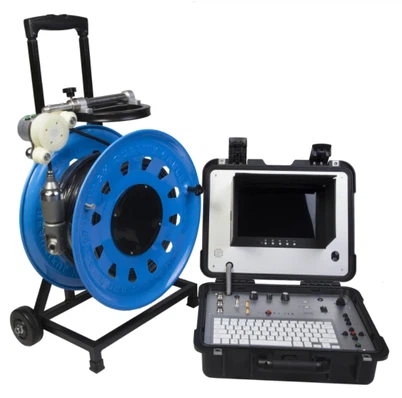
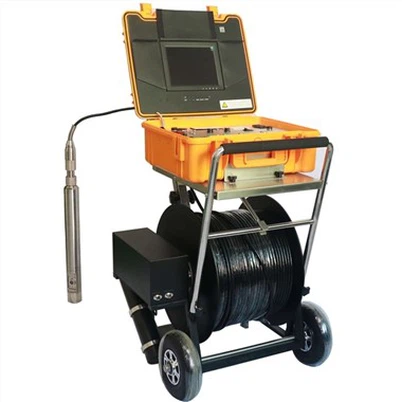
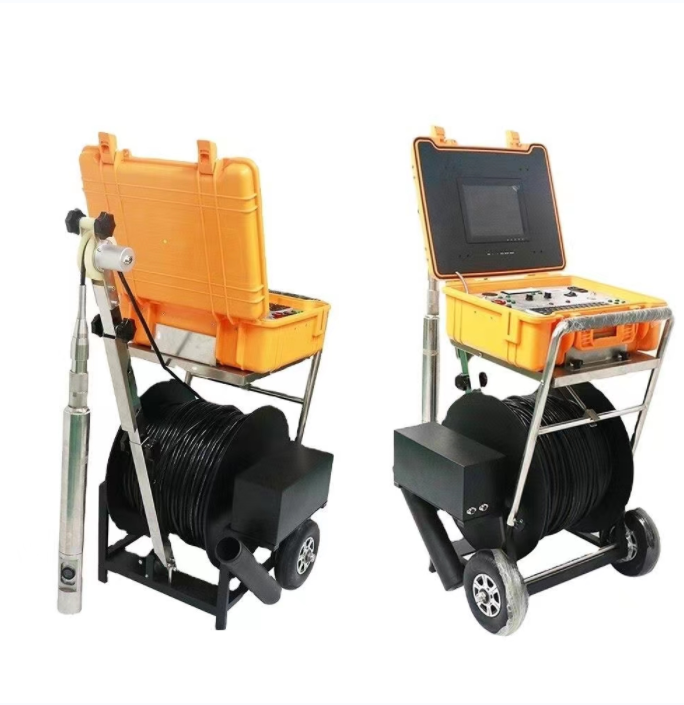
Now, if you're in the market for a new sewer camera or need to upgrade your existing one, we've got you covered. We offer a wide range of high-quality sewer cameras, including the Flexible Cable Industrial Borehole Camera, the Borehole Water Well Camera, and the Underwater dual view borescope inspection camera. Our cameras are designed to provide clear, detailed images and are built to last.
If you're interested in learning more about our products or have any questions, please don't hesitate to contact us. We'd be happy to help you find the right sewer camera for your needs and provide you with all the information you need to make an informed decision. Whether you're a professional plumber, a sewer maintenance worker, or just someone who wants to keep an eye on their sewer system, we've got the perfect camera for you.
In conclusion, upgrading the firmware of your sewer camera is an important part of keeping it in top condition. By following the steps outlined in this blog post, you can easily upgrade your camera's firmware and enjoy all the benefits that come with it. And if you're in the market for a new sewer camera, be sure to check out our selection. We're confident that you'll find a camera that meets your needs and exceeds your expectations.
References
- Manufacturer's website for sewer camera firmware updates
- General knowledge about sewer camera technology and maintenance