
How do I share the images and videos from a snake camera?
Leave a message

Hey there! As a snake camera supplier, I often get asked about how to share the images and videos captured by these nifty devices. Snake cameras are super useful for all sorts of inspections, whether it's checking out pipes, looking inside walls, or even underwater inspections. In this blog post, I'll walk you through the different ways you can share the images and videos from a snake camera.
First off, let's talk about why sharing these images and videos is so important. When you're using a snake camera for inspections, you might need to show the results to clients, colleagues, or experts. Sharing the visual evidence can help in making informed decisions, diagnosing problems, and providing documentation.
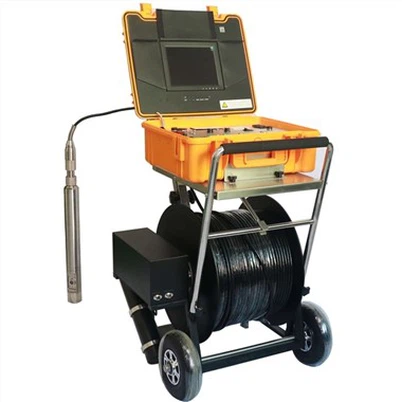
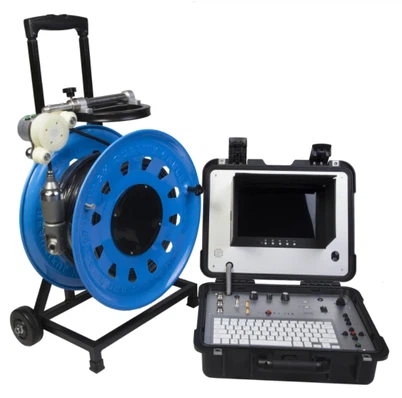
One of the easiest ways to share the images and videos is through USB transfer. Most snake cameras come with a USB port or can be connected to a computer via a USB cable. Once you've connected the camera to your computer, you can simply copy the files to your hard drive. From there, you can use email, cloud storage services like Google Drive or Dropbox, or instant messaging apps to share the files. For example, if you're a contractor using a 8 Inch Pan Tilt Rotating Pipe Inspection camera to inspect a client's pipes, you can transfer the images and videos to your computer and then send them to the client via email. This way, they can see exactly what's going on inside their pipes without having to be on-site.
Another popular method is using Wi-Fi or Bluetooth connectivity. Many modern snake cameras are equipped with Wi-Fi or Bluetooth capabilities, which allow you to connect the camera directly to your smartphone or tablet. Once connected, you can use the camera's app to view, save, and share the images and videos. This is especially convenient if you're on the go and need to share the files immediately. For instance, if you're using an Underwater Pipe Tube Inspection Camera to inspect an underwater pipe, you can connect the camera to your smartphone via Wi-Fi and share the live feed or recorded videos with your team in real-time.
Some snake cameras also support SD card storage. You can remove the SD card from the camera and insert it into a card reader on your computer or other devices. This gives you the flexibility to access the files on different devices and share them as needed. If you're using a 50m With Automatic Self-leveling 512HZ Transmitter 7-inch DVR Sewer Pipe Inspection Drainage Pipe Detection Camera, you can easily remove the SD card and transfer the files to your computer for sharing.
When sharing the images and videos, it's important to consider the file size. Large files can take a long time to transfer and may exceed the attachment limit of some email services. You can use video editing software to compress the files without sacrificing too much quality. There are also online tools available that can help you reduce the file size.
In addition to sharing the files directly, you can also create presentations or reports using the images and videos. You can add annotations, captions, and explanations to the visual content to make it more understandable. This can be useful for presenting the inspection results to clients or colleagues in a professional manner.


Now, let's talk about some best practices for sharing the images and videos. First, make sure you have the necessary permissions to share the files. If you're working on a project for a client, you should get their consent before sharing any sensitive information. Second, organize the files properly. Use descriptive file names and create folders to categorize the images and videos. This will make it easier to find and share the files later. Third, keep backups of the files. You don't want to lose the important inspection data due to a technical issue or accidental deletion.
In conclusion, there are several ways to share the images and videos from a snake camera, including USB transfer, Wi-Fi or Bluetooth connectivity, SD card storage, and online sharing platforms. By choosing the right method and following the best practices, you can effectively share the inspection results and make the most of your snake camera.
If you're interested in purchasing a snake camera or have any questions about sharing the images and videos, feel free to reach out to us. We're here to help you find the right solution for your inspection needs.
References:
- Personal experience as a snake camera supplier
- Product manuals and documentation of snake cameras