
What software is used with a sewer camera?
Leave a message

What software is used with a sewer camera?
As a reputable supplier of sewer cameras, I've witnessed firsthand the transformative impact these devices have on plumbing and infrastructure inspection. Sewer cameras are invaluable tools that allow professionals to visually assess the condition of pipes, drains, and sewer systems without the need for invasive excavation. However, the effectiveness of a sewer camera is significantly enhanced when paired with the right software. In this blog post, I'll delve into the various types of software used with sewer cameras, their features, and how they can benefit your inspection operations.
Types of Software for Sewer Cameras
Inspection and Reporting Software
One of the most common types of software used with sewer cameras is inspection and reporting software. This software is designed to streamline the inspection process, allowing operators to capture, annotate, and analyze video footage from the sewer camera. With inspection and reporting software, you can mark specific points of interest in the video, add comments and measurements, and generate detailed reports with ease.
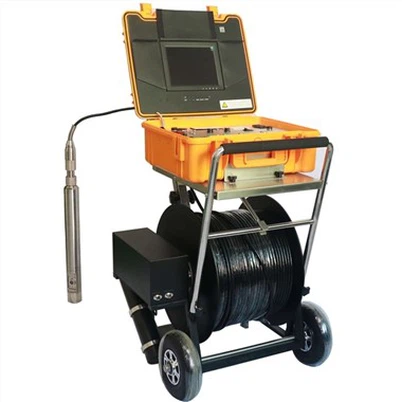
For example, Underwater dual view borescope inspection camera can be paired with inspection and reporting software to provide a comprehensive view of the sewer system. The software allows you to zoom in on specific areas of the video, adjust the brightness and contrast, and even create 3D models of the pipes for better visualization. Once the inspection is complete, you can generate a professional report that includes the video footage, annotations, and your findings, which can be shared with clients, contractors, or regulatory agencies.
Mapping and GIS Software
Mapping and GIS (Geographic Information System) software is another essential tool for sewer camera inspections. This software allows you to create detailed maps of the sewer system, including the location of pipes, manholes, and other infrastructure. By integrating the video footage from the sewer camera with the mapping and GIS software, you can accurately pinpoint the location of any issues or blockages in the system.
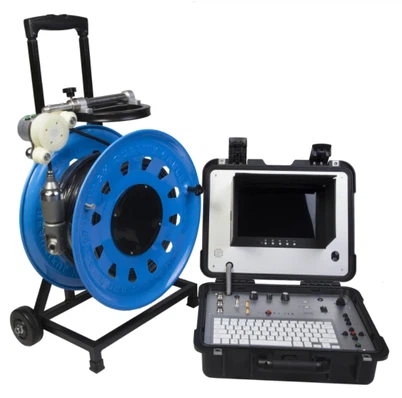
For instance, Factory Borehole Water Well Camera can be used in conjunction with mapping and GIS software to create a digital map of the water well. The software can analyze the video footage to determine the depth, diameter, and condition of the well, and then overlay this information on a map. This can help water well operators to identify potential problems, plan maintenance and repair work, and optimize the performance of the well.
Remote Monitoring Software
Remote monitoring software enables you to access and monitor the sewer camera video footage in real-time from a remote location. This is particularly useful for large-scale sewer systems or for inspections that are taking place in difficult-to-reach areas. With remote monitoring software, you can view the video footage on your computer, smartphone, or tablet, and communicate with the inspection team on-site.


Flexible Cable Industrial Borehole Camera is a great example of a sewer camera that can be used with remote monitoring software. The camera's flexible cable allows it to be easily maneuvered through pipes and other tight spaces, while the remote monitoring software allows you to keep an eye on the inspection progress from anywhere in the world. This can save time and money by reducing the need for on-site personnel, and it can also improve the safety of the inspection team by allowing them to monitor the situation from a safe distance.
Benefits of Using Software with Sewer Cameras
Improved Efficiency
By automating the inspection and reporting process, software can significantly improve the efficiency of sewer camera inspections. With inspection and reporting software, you can quickly capture and analyze video footage, generate reports, and share the results with others. This can save time and reduce the risk of human error, allowing you to complete inspections more quickly and accurately.
Enhanced Accuracy
Software can also enhance the accuracy of sewer camera inspections. With features such as annotation, measurement, and 3D modeling, you can get a more detailed and accurate view of the sewer system. This can help you to identify potential problems early on, and to develop more effective solutions for repairs and maintenance.
Better Communication
Software can improve communication between the inspection team, clients, contractors, and regulatory agencies. By generating detailed reports and sharing them electronically, you can ensure that everyone involved in the project has access to the same information. This can help to reduce misunderstandings and delays, and to ensure that the project is completed on time and within budget.
Cost Savings
Using software with sewer cameras can also result in cost savings. By reducing the need for on-site personnel, increasing the efficiency of inspections, and identifying potential problems early on, you can save money on labor, equipment, and repairs. Additionally, by providing more accurate and detailed information, you can make more informed decisions about the maintenance and repair of the sewer system, which can help to extend its lifespan and reduce the need for costly replacements.
How to Choose the Right Software for Your Sewer Camera
When choosing software for your sewer camera, there are several factors to consider. First, you need to ensure that the software is compatible with your sewer camera model. Not all software is designed to work with all types of sewer cameras, so it's important to check the compatibility before making a purchase.
Second, you need to consider the features and functionality of the software. Different software packages offer different features, such as annotation, measurement, reporting, mapping, and remote monitoring. You should choose a software package that offers the features that are most important to your inspection operations.
Third, you need to consider the ease of use of the software. The software should be intuitive and easy to learn, even for users who are not technically savvy. Look for software that offers a user-friendly interface, clear instructions, and support resources such as online tutorials and help desks.
Finally, you need to consider the cost of the software. Software prices can vary widely depending on the features and functionality offered. You should choose a software package that fits your budget, but also offers the features and functionality that you need to complete your inspections effectively.
Contact Us for Sewer Camera and Software Solutions
As a leading supplier of sewer cameras, we offer a wide range of high-quality sewer cameras and software solutions to meet your inspection needs. Our sewer cameras are designed to provide clear, detailed video footage of pipes, drains, and sewer systems, and our software is designed to enhance the effectiveness of the inspection process.
If you're interested in learning more about our sewer cameras and software solutions, or if you have any questions or concerns, please don't hesitate to contact us. Our team of experts is available to answer your questions, provide you with more information, and help you choose the right solution for your needs. Whether you're a plumbing contractor, a water utility company, or a government agency, we have the products and services to help you succeed.
References
- Some plumbing industry magazines and journals that often cover the latest in sewer camera technology and software.
- Manufacturer's documentation for sewer cameras and their associated software.