

Are snake cameras compatible with all devices?
Leave a message

Are Snake Cameras Compatible with All Devices?
As a leading supplier of snake cameras, I often encounter customers who are curious about the compatibility of these versatile tools with various devices. Snake cameras, also known as borescopes, are invaluable for inspecting hard - to - reach areas such as pipes, engine compartments, and wall cavities. In this blog, we'll delve into the intricacies of snake camera compatibility and explore the factors that determine whether a snake camera can work with a particular device.
Understanding Snake Camera Technology
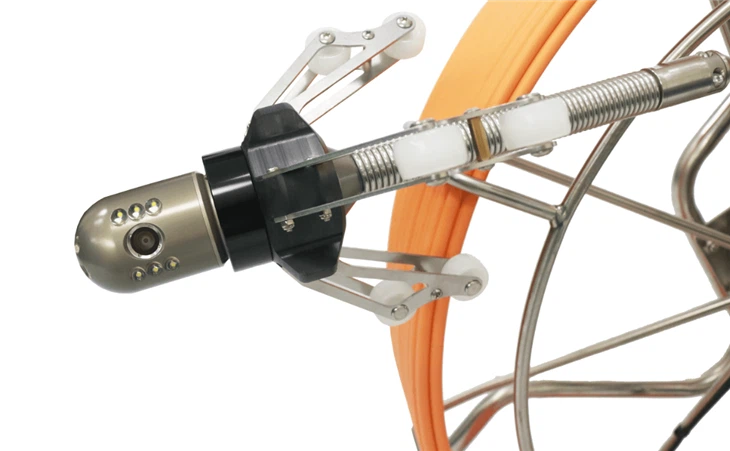
Before we discuss compatibility, it's essential to understand how snake cameras function. A typical snake camera consists of a flexible cable with a camera at one end and a display or connection interface at the other. The camera captures images or videos of the internal environment, which are then transmitted to a viewing device. These cameras can be equipped with different features such as adjustable lighting, high - resolution sensors, and multiple lenses to enhance the inspection process.
Compatibility Factors
1. Connection Types
One of the primary factors influencing compatibility is the connection type between the snake camera and the viewing device. There are several common connection methods:
- USB Connection: Many modern snake cameras come with a USB interface. This type of connection is highly versatile as most computers, laptops, and some tablets support USB input. A USB - connected snake camera can be easily plugged into a device's USB port, and with the appropriate software installed, users can view and record the inspection footage. However, not all devices may have the necessary drivers or software to recognize the snake camera. For example, some older computers may require manual driver installation, and certain tablets may not support USB devices due to their limited operating system capabilities.
- Wi - Fi Connection: Wi - Fi enabled snake cameras offer greater flexibility as they can connect wirelessly to smartphones, tablets, and laptops. This allows users to view the inspection results from a distance without being tethered to the camera. However, compatibility issues can arise if the device's Wi - Fi settings are not configured correctly or if the device's operating system does not support the camera's Wi - Fi protocol. Additionally, the range of the Wi - Fi signal can be a limiting factor, especially in large industrial or outdoor settings.
- HDMI Connection: Some high - end snake cameras support HDMI output. This is ideal for connecting to larger displays such as televisions or monitors, providing a clear and detailed view of the inspection area. However, not all devices have an HDMI input port. For instance, most smartphones and some tablets do not have HDMI ports, so an HDMI - connected snake camera would not be compatible with these devices without the use of additional adapters.
2. Operating System Compatibility
The operating system of the viewing device plays a crucial role in determining compatibility. Different snake cameras are designed to work with specific operating systems, such as:
- Windows: Windows - based computers are generally very compatible with snake cameras, especially those with USB connections. Most snake camera manufacturers provide Windows - compatible drivers and software, making it relatively easy to set up and use the camera. However, there may be issues with older versions of Windows, such as Windows XP, which may not support the latest camera models.
- Mac OS: Mac computers also support many snake cameras, but the software requirements may be different from those of Windows. Some snake camera manufacturers offer dedicated Mac - compatible software, while others rely on third - party applications. Compatibility can also be affected by the Mac's security settings, which may require users to grant additional permissions for the camera to function properly.
- iOS and Android: Smartphones and tablets running iOS (Apple) or Android operating systems are popular choices for viewing snake camera footage, especially when using Wi - Fi or USB - OTG (On - The - Go) connections. However, iOS devices are more restrictive in terms of app compatibility and may require users to download the camera's app from the App Store. Android devices, on the other hand, offer more flexibility but may vary in terms of hardware support for USB - OTG and Wi - Fi connections.
3. Device Hardware Limitations
Apart from connection types and operating systems, the hardware capabilities of the viewing device can also impact compatibility. For example, a device with limited processing power may struggle to handle high - resolution video streams from the snake camera, resulting in lag or poor image quality. Similarly, a device with a small storage capacity may not be able to store large amounts of inspection footage.
Our Product Compatibility
At our company, we understand the importance of compatibility, and we strive to make our snake cameras as versatile as possible. Our Dual Lens Pipe Inspection Camera is designed to be compatible with a wide range of devices. It supports both USB and Wi - Fi connections, allowing users to connect it to computers, laptops, smartphones, and tablets. The included software is compatible with Windows, Mac OS, iOS, and Android operating systems, ensuring that users can easily view and manage the inspection footage regardless of their device preferences.
Our Pipe Sewer Inspection Camera is another product that offers excellent compatibility. It features an HDMI output option in addition to USB and Wi - Fi connections, providing users with multiple ways to connect to different displays. Whether you want to view the footage on a large - screen TV for a team meeting or on your smartphone for quick on - the - go inspections, this camera has you covered.
For more specialized applications, our Borehole UnderWater well inspection camera is engineered to work in harsh environments. It is compatible with devices that can withstand the rigors of outdoor and underwater use. The camera's connection options are carefully selected to ensure seamless integration with a variety of devices, including rugged tablets and industrial computers.
Conclusion
In conclusion, snake cameras are not compatible with all devices. Compatibility depends on several factors, including connection types, operating system support, and device hardware limitations. However, as a leading snake camera supplier, we are committed to providing products that offer wide - ranging compatibility to meet the diverse needs of our customers.
If you are in the market for a snake camera and have specific device compatibility requirements, we encourage you to contact us. Our team of experts can provide you with detailed information about our products and help you choose the right snake camera for your needs. Whether you are a professional plumber, an industrial inspector, or a DIY enthusiast, we have the perfect solution for you. Let's start a conversation about how our snake cameras can enhance your inspection capabilities.

References
- Manufacturer's manuals and product specifications for snake cameras.
- Technical documentation on device compatibility from operating system providers (Microsoft, Apple, Google).
- Industry research on the latest trends in snake camera technology and device connectivity.


