
Does wells camera have a histogram display?
Leave a message

As a supplier of Wells Camera, I often encounter customers asking various questions about our products. One of the frequently asked questions is whether our Wells Camera has a histogram display. In this blog, I will delve into this topic and provide you with a detailed answer.
Understanding the Histogram Display in Cameras
Before we discuss whether our Wells Camera has a histogram display, it's essential to understand what a histogram is and its significance in photography. A histogram is a graphical representation of the distribution of pixel intensities in an image. It shows the number of pixels at each brightness level, ranging from black (0) to white (255) in an 8 - bit image.
The histogram provides valuable information about the exposure of an image. A well - exposed image typically has a histogram that is spread out across the graph, with no large gaps or spikes at the extreme ends. If the histogram is skewed to the left, the image is likely underexposed; if it's skewed to the right, the image is overexposed.
Does Wells Camera Have a Histogram Display?
Our Wells Camera does come equipped with a histogram display feature. This is a significant advantage for users who need to capture high - quality images in various environments, especially in borehole or underwater inspection scenarios.
In borehole inspections, the lighting conditions can be quite challenging. The light may be dim, and there could be shadows or reflections. With the histogram display, users can quickly assess the exposure of the captured images. They can adjust the camera settings such as aperture, shutter speed, and ISO to ensure that the images are well - exposed.
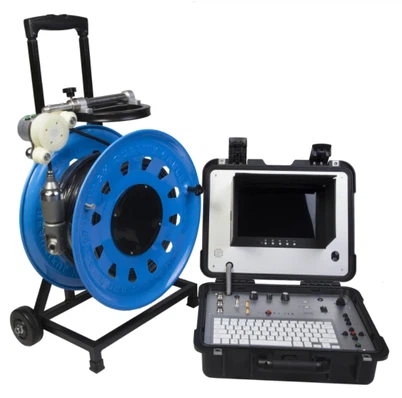
For example, when using our Factory Borehole Water Well Camera for borehole inspections, the histogram display helps the operator to make real - time adjustments. If the histogram shows that the image is underexposed, the operator can increase the ISO or slow down the shutter speed to let more light in.
Similarly, our Borewell Inspection Camera and Underwater dual view borescope inspection camera also benefit from the histogram display feature. In underwater inspections, the water can absorb and scatter light, making it difficult to get well - exposed images. The histogram allows the user to fine - tune the camera settings to obtain clear and detailed images.
Benefits of the Histogram Display in Wells Camera
- Accurate Exposure Control: The histogram provides a visual representation of the image's exposure, allowing users to make precise adjustments. This ensures that the images captured are neither too dark nor too bright, resulting in high - quality visuals.
- Time - Saving: Instead of taking multiple test shots and adjusting the settings based on trial and error, the histogram display enables users to make informed decisions quickly. This saves time, especially in situations where time is of the essence, such as in large - scale borehole inspections.
- Consistency: By using the histogram to control exposure, users can achieve consistent image quality across different shots. This is particularly important in professional applications where uniformity is required.
How to Use the Histogram Display on Wells Camera
Using the histogram display on our Wells Camera is relatively straightforward. Once the camera is turned on, the histogram can usually be accessed through the camera's menu. In most cases, it will be displayed alongside the live view of the image.
When looking at the histogram, pay attention to the shape and distribution of the graph. If the graph is concentrated on the left side, the image is underexposed. You can increase the exposure by adjusting the relevant settings. If the graph is concentrated on the right side, the image is overexposed, and you need to reduce the exposure.
It's also important to note that different shooting scenarios may require different histogram shapes. For example, in a high - contrast scene, the histogram may have peaks at both the left and right ends. In such cases, you may need to balance the exposure to capture details in both the dark and bright areas.
Conclusion
In conclusion, our Wells Camera does have a histogram display feature, which is a valuable tool for users in borehole and underwater inspection applications. The histogram helps users to control exposure accurately, save time, and achieve consistent image quality.


If you are interested in our Wells Camera products and want to know more about the histogram display or other features, we welcome you to contact us for a procurement discussion. We are committed to providing high - quality products and excellent customer service to meet your needs.
References
- Camera Histogram Basics, Photography - Life.com
- Understanding Histograms in Digital Photography, Digital Photography School